
Migrating from QuickBooks Online to Digits: The Complete Accountant's Checklist
Digits built genuine first-party migration tooling from QuickBooks Online. The connection is direct through OAuth, the historical pull is unlimited (not Plaid-limited to 24 months), and the whole process is one-time read-only with no risk to the source QuickBooks data. For a US-based service business on a modern fintech stack, this is one of the smoother platform migrations available in the AI-native cohort.
But the migration has specific gotchas that Digits' own documentation names precisely and that most firms only learn the hard way. The bank-feed trap: transactions sitting in QBO's For Review queue don't migrate because they aren't posted yet. The cutover date landmine: once set during onboarding, it cannot be changed and floors every connection thereafter. The reconciliation status gap: it does not migrate, which forces a cutover reconciliation that shows hundreds or thousands of uncleared items on first open. The 1099 setup wipe: vendor tax IDs and 1099 configuration do not carry over, forcing a full rebuild in the migration year.
This checklist walks through every phase of a QuickBooks Online to Digits migration from initial evaluation through post-migration validation, sourced verbatim to Digits' own documentation. Along the way I flag five specific gotchas that come out of QuickBooks and that most guides ignore: the For Review queue that doesn't migrate, the immutable cutover date, the reconciliation status gap that forces the cutover reconciliation, the vendor tax ID and 1099 setup wipe, and the non-US QBO account block. Each one deserves its own decision before cutover day.
Everything below is verified against Digits' documentation as of 16 September 2026. Digits ships fast, and specific parameters (feature scope, integration coverage, pricing) may change. Verify anything critical directly with Digits sales or support before executing.
The strategic framing worth naming upfront: Digits' own pre-migration checklist requires that bank feed items be posted that periods be reconciled through the last completed close, and that the cutover date be set to the day after the last fully posted and reconciled period. This is precisely the condition a cleanup engagement produces. A catch-up and cleanup engagement produces the clean, posted, reconciled QuickBooks Online source that makes a Digits migration fast and painless. If your books need cleanup first, do the cleanup in QBO, then migrate cleanly. This is the clearest commercial argument for a cleanup practice as migration preparation.
💡 Key Takeaways
The Digits QBO migration is real first-party tooling. OAuth-based, unlimited historical periods pulled (not Plaid-limited to 24 months), one-time read-only pull with no push back to QBO
The immutable cutover date is the most consequential onboarding decision. Once set, it cannot be changed. Only remediation is Starting Over, which is itself a documented one-way door
The bank-feed trap catches most first-time migrations. Transactions in QBO's For Review queue don't migrate because they are not posted. Post everything first in QBO, then migrate
Reconciliation status does not migrate. This forces a mandatory cutover reconciliation to establish a clean baseline. The four-step procedure must be done BEFORE uploading any bank statements to Digits
Vendor tax IDs and 1099 setup do not migrate. Plan a distinct rebuild task for 1099 configuration in the migration year
Non-US QuickBooks Online accounts are blocked outright from the Digits migration path. CSV import is the only fallback
A/R and A/P aging history do not migrate. Aging reports have a cutover-date floor and never show migrated receivables or payables
Sub-customers and jobs do not migrate. Combined with Digits' absence of job costing, this makes construction and agency clients a poor migration fit
Parallel Close is the risk-reduction option. Digits explicitly supports running both systems for a month before switching, which is the safest migration approach for nervous clients
Verified 16 September 2026: Digits' migration is actively developed; verify current parameters before execution

Phase 0: The Decisions You Make Before You Start
Migration failure is almost always predetermined by decisions made or not made before cutover day. For a Digits migration, four decisions matter most.
Decision 1: The Cutover Date
This is the single most consequential decision in the entire Digits onboarding process. Digits' own words: "The cutover date marks the date Digits becomes your accounting system of record. Think of it as a line in the sand: QuickBooks holds everything up to that date; Digits owns everything from that date forward."
The immutability: "Once set during onboarding, the cutover date cannot be changed. Contact help@digits.com for further help." This is a documented one-way door. Get it wrong and the only remediation is Starting Over, which is itself a documented one-way door.
Digits' own recommendation: "We recommend choosing a cutover date that lines up with a clean financial period (like a month, quarter, or year start), and matches the day after your last posted and reconciled period in QuickBooks."
The practical implication: decide the cutover date explicitly in a written scoping note with the client before touching Digits. The correct cutover date is the day after your last completed close in QuickBooks Online. If your QBO close is through 31 December 2025, the Digits cutover date is 1 January 2026. If your QBO close is only through 30 September 2025, either extend the QBO close first or accept 1 October 2025 as the Digits cutover date and adjust opening balances manually.
Never let a client set the cutover date during onboarding without documented CPA advice. This is where the most expensive Digits migration mistakes happen.
Decision 2: How Disordered Is Your Source Chart of Accounts
Digits' migration brings over the QBO chart of accounts wholesale, including inactive accounts marked "Deactivated." Digits' words: "This keeps your historical transactions correctly tied to the categories they were originally posted to."
This is safer than a clean-slate migration, but it also means a disordered QBO chart of accounts arrives disordered in Digits. Duplicate accounts, orphaned accounts from prior bookkeepers, expenses miscategorized as COGS, and other structural problems all carry over intact.
The practical implication: clean up the QBO chart of accounts before the migration, not during it. Do the cleanup as a distinct engagement in QBO first, tie out the cleaned-up books, then migrate to Digits with a clean source. My messy chart of accounts analysis walks through what "cleaned up" means concretely and how much it changes downstream reporting quality.
Decision 3: Non-US Check
Digits block non-US QuickBooks Online accounts from the migration path outright. Digits documents: "Why am I seeing 'The app you've selected isn't available for use in your country'? This occurs when your QuickBooks Online account was created outside the U.S. Digits' QuickBooks integration currently supports U.S.-based accounts only."
The practical implication: verify the client's QBO account origin before promising a Digits migration timeline. If the QBO account was created outside the US, even for a business that now operates in the US, the OAuth migration path is unavailable. CSV import is the only fallback, and it is materially more work.
Decision 4: When Do You Cut Over
Three timing considerations matter for a Digits migration:
Bank feed completion in QBO. Digits' documentation is verbatim: "Your migration brings over transactions that are posted to your QuickBooks ledger. Items still sitting in your QuickBooks bank feed ('For Review') aren't posted yet, so they won't come across. In QuickBooks, categorize and post any bank-feed items you want migrated so they're recorded in the ledger. Anything left in 'For Review' stays behind."
Reconciliation through the last completed period. Digits documents: "Reconcile through your last completed period so your migrated balances are clean." An unreconciled month is going to cost you time at cutover reconciliation, so complete reconciliation in QBO first.
Business event calendar. Do not migrate during active fundraising, tax season, quarterly close, board meeting preparation, or major business events. The migration deserves undivided attention from the migration owner.
Phase 1: The Critical Pre-Cutover Settlements
Digits' documentation implies these; practical experience makes them explicit. Take these seriously; skipping any of them creates cutover-day failure.
Settlement 1: QBO Bank Feed Items Fully Posted
Every transaction in the client's QBO bank feed For Review queue must be categorized and posted to the QBO ledger before migration begins. Anything left in For Review will not migrate and will need to be manually entered in Digits post-migration if you want it in your books.
This is the single most-missed pre-migration step. Confirm the QBO bank feed queue is empty (or every remaining item is documented as intentionally excluded) before starting the OAuth migration.
Settlement 2: QBO Reconciled Through Last Completed Period
Every bank and credit card account in QBO should be reconciled through the last completed period (the period ending immediately before your planned cutover date). Unreconciled accounts create balance discrepancies at migration that show up in the cutover reconciliation as unresolved items requiring manual investigation.
Settlement 3: Cutover Date Documented with Client Sign-Off
The cutover date decision should be made in writing with client sign-off before touching Digits. This is a documented one-way door and worth the extra step of formal documentation. Include: the specific date, why it was chosen, what QBO close date it aligns to, and what the remediation cost would be if it turns out to be wrong.
Settlement 4: 1099 Rebuild Task Scoped
Because vendor tax IDs and 1099 setup do not migrate, plan for a distinct 1099 rebuild task in the migration year. Get client authorization to collect W-9s again if needed or export the existing vendor tax ID list from QBO before migration and be ready to re-enter it in Digits.
Settlement 5: Sub-Customer and Job History Warning
For construction, agency, professional services, or any other client using QBO's sub-customer or jobs functionality: sub-customers and jobs do not migrate to Digits. Combined with the absence of job costing in Digits generally, this makes sub-customer-dependent clients a poor migration fit. Confirm the client understands this before executing.
Phase 2: The Five QuickBooks-Specific Gaps to Plan Around
Every migration guide covers the phases. Few cover the specific gaps that come out of QuickBooks that catch teams by surprise. Five of them deserve explicit planning for a Digits migration.
Gap 1: The Bank Feed Trap
Digits' documentation is explicit: transactions in QBO's For Review queue do not migrate. They are not posted to the QBO ledger, so Digits does not see them. This is Digits' first pre-migration checklist item for a reason.
Practical implication: the migration cannot succeed cleanly if any material bank feed items are stuck in For Review. Clear the queue in QBO first, categorize and post everything intended to migrate, and only then start the Digits migration.
Gap 2: The Reconciliation Status Gap
Verbatim from Digits' documentation: "Digits does not import the historical reconciliation status from QBO. Transactions that were previously reconciled in QBO are not marked as reconciled in Digits. As a result, opening your first reconciliation can show hundreds or thousands of uncleared items, even though your books were already reconciled in QBO."
This forces the mandatory cutover reconciliation described in Phase 3. Every first-time Digits migration hits this issue. Nobody is exempt.
Gap 3: Vendor Tax ID and 1099 Setup Wipe
Vendor tax IDs, 1099 setup, payment terms, and vendor addresses do not migrate. Digits' documentation confirms: "Vendors: website, phone, email, address, tax ID / 1099 setup, payment terms, account number, opening/current balance, notes/memos, attachments, tax settings, custom fields, currency" all do NOT migrate.
Practical implication: in the migration year, expect to rebuild 1099 configuration from scratch for every vendor requiring one. Export the QBO vendor list including tax IDs before migration completes and plan a distinct post-migration task to re-enter the tax IDs and 1099 category assignments in Digits.
Gap 4: A/R and A/P Aging History Gap
Verbatim from Digits' documentation: "AR/AP Aging Reports only include activity recorded in Digits after the entity's cutover date. Digits does not import historical aging information." Migrated receivables and payables appear in the balance sheet but never show up in aging reports.
Practical implication: for clients relying on aging reports for cash flow forecasting or collections management, the migration year will have aging reports that undercount by all migrated receivables and payables. Plan a hybrid workflow: run aging out of QBO for pre-cutover receivables, out of Digits for post-cutover, and merge manually for the migration year.
Gap 5: Non-US QBO Account Block
Digits' documentation states the OAuth migration is US-QBO only. Non-US QBO accounts must use CSV import as the fallback. This is materially more work than the OAuth path and produces less complete data migration.
Practical implication: verify the client's QBO account origin in the QBO admin settings before promising a migration timeline. If the account is non-US, plan for a manual migration approach and budget extra hours accordingly.
Phase 3: The Eight-Phase Runbook
Digits' documentation organizes the migration around a specific sequence. Follow it rather than improvising during execution.
Phase 3.1: Pre-Migration Cleanup in QuickBooks Online
Complete these steps in QBO before touching Digits:
Clear the bank feed For Review queue: categorize and post every intended transaction to the QBO ledger
Reconcile every bank and credit card account through the last completed period
Verify the QBO chart of accounts is rationalized (or accept that it will migrate as-is)
Export the vendor list including tax IDs and 1099 categories for reference during post-migration rebuild
Document any sub-customers or job structures that will not migrate
Phase 3.2: Scope the Migration
Confirm how far the books are closed in QuickBooks. Digits pulls unlimited historical periods (not Plaid-limited), so all closed periods can migrate.
Agree the cutover date in writing. This is the immutable one-way door decision. Cutover date should equal the day after the last fully posted and reconciled QBO period. Coordinate this timing with any pending QBO work; changes to QBO data after cutover will not flow to Digits.
Phase 3.3: Start the Migration
For a new Digits client: Add Client or Add Business → select Migrate from QuickBooks Online → sign in to QBO and approve the OAuth → set the cutover date → complete the company profile.
Digits then imports the chart of accounts and history automatically. No CSV upload is required. Digits' documentation: "Afterward, the QuickBooks connection is archived and no longer syncs. From that day forward, Digits becomes your system of record."
Note that this is a one-time read-only pull. Digits' documentation confirms: "Does Digits overwrite QuickBooks data? No. Digits reads data from QuickBooks (up to the cutover date) but never pushes updates back." The QBO file remains fully intact and continues to be
usable.
Phase 3.4: Map Dimensions
QBO's Class and Location fields map to Digits' Departments and Locations. Digits documents: "QBO uses a generic structure for these fields, while Digits defines them more specifically as Departments and Locations. During setup, you'll select which QBO field maps to which Digits dimension. Common mapping: QBO Location → Digits Departments, QBO Line Class → Digits Locations."
The retroactive tagging benefit worth naming: "Transaction tags won't appear until you've mapped your Departments and Locations. Once saved, Digits retroactively applies the tags to all matching historical transactions." This is genuinely useful and not something to take for granted. All historical transactions get their dimension tags applied automatically after mapping is saved.
Phase 3.5: Verify Migrated Data
Before proceeding to the cutover reconciliation, verify the migrated data:
Chart of Accounts: Accounting → Chart of Accounts. Confirm active and inactive accounts appear. Inactive accounts should be marked "Deactivated."
Trial Balance: run the trial balance report as of the cutover date. Confirm it ties to the QBO trial balance for the same date.
P&L for the migrated period: compare Digits P&L against QBO P&L month by month for the migrated period.
Dimension tags: verify Departments and Locations tags appear on historical transactions after the retroactive tagging runs.
Products: verify products priced at $0 or above appear in the Product dropdown. Products priced below $0 appear as Discount options.
Any material discrepancies at this stage require investigation before proceeding to the cutover reconciliation.
Phase 3.6: The Cutover Reconciliation
This is the highest-value operational step in the entire Digits migration and the one most often done incorrectly. The critical ordering warning from Digits' own documentation: "Complete these steps before uploading any bank statements to Digits."
If bank statements go in first, Digits' AI reconciliation begins automatically and creates draft reconciliations from the wrong starting point. Digits documents the cleanup: "Accounting → Reconciliations → find the earliest draft → Delete. Later draft reconciliations should be removed automatically." But the correct approach is to avoid this by doing the cutover reconciliation first.
The four-step cutover reconciliation, verbatim from Digits' documentation:
Confirm the cutover date and the last reconciled QBO statement date
Accounting → Reconciliations → + Start Reconciliation → select the account → Statement Date = cutover date → Ending Balance = the final reconciled balance from the last QBO reconciliation → Build Reconciliation
Select all → Bulk Actions → Mark as Reconciled → verify Unreconciled Difference is $0.00 → Finalize
Drag and drop the first post-cutover statement; Digits auto-matches and creates a draft; review flags and finalize
Digits notes: "All pre-cutover QBO transactions are typically marked as reconciled automatically after import. If your balance doesn't reconcile right away, wait a moment and refresh the page."
Can you skip the cutover reconciliation? Digits' documentation: "Technically, yes, but it's not recommended. Without it, every AI reconciliation will include uncleared historical transactions, making it difficult to identify genuine issues." Skipping it saves an hour at cutover and costs many hours every month thereafter. Do not skip.
Phase 3.7: Connect Live Accounts
After the cutover reconciliation completes, connect live accounts through Plaid for banks and credit cards, and set up integrations for connected apps (Stripe, Gusto, Ramp, BILL, Finch's payroll network). Per-connection start dates should align to the cutover date.
Digits document that CSV imports are floored by the cutover date: "If you migrated from QuickBooks Online, CSV imports are only allowed after the cutover date. Transactions before that date are managed by the QBO sync."
Phase 3.8: Post-Migration Rebuild Tasks
Distinct tasks that require completion after migration:
1099 Rebuild: re-enter vendor tax IDs and 1099 category assignments. Get updated W-9s from vendors if needed
Customer field rebuild: if customer payment terms, notes, or other non-migrated fields are important, re-enter them
Sub-customer workaround: if the client used sub-customers or jobs in QBO, design a workaround (using Departments or Locations dimensions, or accepting the absence)
Attachment strategy: invoice, bill, and document attachments do not migrate. Decide whether to leave attachments in QBO (which remains accessible read-only), or export and store elsewhere
Phase 4: The Validation Approach
Tie-out procedure with workpaper-grade discipline. The morning after the migration completes, execute this validation before allowing the client to begin transacting in Digits.
Test 1: P&L Tie-Out for the Migrated Period
Compare the QBO Profit and Loss statement for the migrated period against Digits' Profit and Loss for the same period. Standard procedure:
Pull QBO P&L for the full migrated date range
Pull Digits P&L for the same range
Compare total revenue by month
Compare total expenses by month
Compare net income by month
Differences typically trace to unmapped accounts or dimension mapping problems. Fix mapping errors before proceeding.
Test 2: Balance Sheet Review
Pull Digits' balance sheet as of the cutover date and compare against QBO's balance sheet as of the same date. Every line should tie. Look for:
Stale AR from customers no longer active
Stale AP from vendors no longer active
Migrated AR and AP totals (these will appear on the balance sheet but never in aging reports going forward)
Sub-customer balances that need reclassification if the client used sub-customers
Every stale item requires an explicit decision: correct it, document it, or leave it and note it in the tie-out documentation.
Test 3: Retained Earnings Roll-Forward
Verify retained earnings ties from the beginning of the migration period through the cutover date. This is standard practice regardless of platform but takes on specific meaning here because dimension mapping errors show up first in retained earnings roll-forward.
Test 4: Dimension Tag Verification
Verify that Departments and Locations tags applied retroactively to historical transactions correctly. Pull a P&L by Department and a P&L by Location for the migrated period, and compare against QBO's Class and Location reports. Every historical transaction should carry its dimension tag.
If any dimension tags failed to apply retroactively, they must be manually applied before the tags can be relied on for reporting.
Parallel Close: The Risk-Reduction Option
For clients nervous about the migration or firms wanting extra confidence in the tie-out, Digits explicitly documents Parallel Close as a supported evaluation approach:
"Run a Parallel Close to test Digits alongside QuickBooks. Close the same period in both systems, compare results, and verify Digits' accuracy before switching fully."
Because the QBO migration is a read-only one-time pull that "copies your client's data without modifying or syncing back," Parallel Close is genuinely safe. The QBO file remains fully intact throughout. Firms can run both systems for one month, close the same period in both, and compare results before committing to Digits as the sole system of record.
When Parallel Close is worth the extra work:
First-time Digits migration for a firm still building familiarity with the platform
Client with unusual accounting complexity where migration accuracy is genuinely uncertain
Client whose risk tolerance requires extra validation before committing
Firm's first migration where a documented Parallel Close creates a workpaper template for subsequent migrations
When Parallel Close is unnecessary:
Clean QBO source with straightforward operations
Firm with prior Digits migration experience and standardized validation procedures
Client whose risk tolerance accepts single-pass migration with the four validation tests
Parallel Close doubles the data entry effort for one month, which is the trade-off. For clients where the trade-off makes sense, it materially reduces migration risk and produces a documented tie-out that survives future audits.
Common Pitfalls, from Digits' Own Documentation
Digits' documentation provides direct guidance on common gotchas. Watch for each explicitly.
1. Migrated Statements Uploaded Before Cutover Reconciliation
Cause: operator ran the migration and immediately started uploading pre-cutover bank statements, triggering the AI to create draft reconciliations from the wrong baseline.
Resolution: Accounting → Reconciliations → find the earliest draft → Delete. Later draft reconciliations should be removed automatically. Then complete the four-step cutover reconciliation properly before re-uploading statements.
2. Cutover Date Set Incorrectly
Resolution: the cutover date cannot be changed. If the wrong cutover date was set during onboarding, the only remediation is Starting Over, which is itself a one-way door. This is why the cutover date decision should be documented in writing with client sign-off before onboarding begins.
Digits' guidance: "You can adjust the cutover date within QuickBooks and complete a data pull or start over from scratch with the correct cutover date, or keep it and manually adjust opening balances in the Ledger."
3. Bank Feed Items Left in For Review
Cause: operator started migration before clearing the QBO bank feed queue.
Resolution: post-migration, transactions still in QBO For Review can be posted to QBO and then manually re-entered into Digits via journal entry (subject to the cutover date floor on CSV imports for pre-cutover transactions).
4. Selective Removal of Migrated Data Attempted
Resolution: Digits' documentation is explicit: "If they came from a QuickBooks migration: There's no way to selectively remove migrated transactions. You'll need to start over and choose a later migration date." Starting Over is itself a one-way door.
5. Non-US QBO Account
Resolution: the OAuth migration path is unavailable for non-US QBO accounts. CSV import is the fallback. Plan for materially more manual work.
6. Sub-Customer or Job History Required
Resolution: sub-customers and jobs do not migrate. If the client depends on sub-customer or job-level history, Digits is likely the wrong platform. Consider whether Departments and Locations dimensions can approximate the workflow, or whether QBO should remain the ledger.
What Migrates and What Does Not
Migrates
Chart of accounts (active and inactive, inactive marked "Deactivated")
Transactions (historical activity, unlimited periods)
Journal entries
Classes and Locations from QBO (mapped during setup to Digits' Departments and Locations)
Invoices and bills (accounting impact only: A/R, A/P, revenue booked into your ledger)
Customers (Name, Website, Phone, Email, Billing Address, Shipping Address)
Vendors (Name only)
Products (including inactive; priced $0 and above as Products, below $0 as Discounts)
Does Not Migrate
Reconciliation status (which is what forces the cutover reconciliation)
Reconciliation history and past statement periods
Invoice, bill, and other document records and attachments (accounting impact yes, documents no)
A/R and A/P aging history (open item aging never appears)
Customers: payment terms, opening/current balance, notes/memos, attachments, tax-exempt status, resale number, preferred payment method, preferred delivery method, sub-customers/jobs, custom fields, currency
Vendors: website, phone, email, address, tax ID and 1099 setup, payment terms, account number, opening/current balance, notes/memos, attachments, tax settings, custom fields, currency
A documented contradiction worth naming: Digits' own page lists the customer fields Website, Phone, Email, Billing Address, Shipping Address under both "Migrates" and "Does NOT Migrate." Both statements verified as current. Quote both if you quote either. Practically, the fields do appear to migrate for customers based on operator reports, but the documented contradiction means verifying in the tie-out is prudent.
Non-QBO Migration Paths
QuickBooks Desktop
No dedicated migration tool. Digits' documentation routes to Intuit's own QuickBooks Desktop-to-Online conversion tool first, then the standard QBO OAuth migration path. For desktop-heavy clients, this adds a step but is workable.
Xero, Puzzle, and Other Platforms
Digits' documentation: "Moving a client from Xero, Puzzle, or another platform? Digits does not have a direct sync, but your client's existing data can be brought over in a few easy steps."
Five manual steps documented:
Select the prior platform at setup; upload chart of accounts by CSV, or use Auto Create for Digits' default
Connect banks, cards, and integrations
Enter opening balances as journal entries, choosing between Option A (start fresh from last close) or Option B (include historical transaction detail)
Set per-connection start dates to match. Plaid can only pull up to 2 years of transaction history
Optionally import historical transactions by CSV using the journal-entries template
Option B is bounded by Plaid's two-year window. Going further back requires importing statements or CSVs by hand. On a Xero client with four years of history, that is real work and it is exactly what a catch-up practice sells as migration prep.
The Bottom Line
Migrating from QuickBooks Online to Digits is executable in a compressed timeline when the QBO source is cleaned up first, the cutover date decision is made explicitly with client sign-off, the bank feed queue is cleared before migration starts, and the eight-phase runbook is executed with workpaper-grade discipline including the cutover reconciliation BEFORE any statements are uploaded to Digits.
The migration succeeds when someone with CPA-level judgment owns the cutover date decision and the tie-out procedure. It fails when the process is treated more casually than it deserves. Digits' migration engine is genuinely thoughtful, and the unlimited historical periods pulled via direct OAuth make it materially easier than a Xero, Puzzle, or QuickBooks Desktop migration into Digits. But "better than the alternatives" does not mean "one-click."
The specific gotchas that catch most migrations by surprise (the bank-feed trap, the immutable cutover date, the reconciliation status gap forcing cutover reconciliation, the vendor tax ID and 1099 setup wipe, the sub-customer and job history loss, the A/R and A/P aging history gap) are all documented in Digits' own materials. Reading the documentation carefully before starting eliminates most of them.
For catch-up cleanup engagements specifically, the migration is materially easier when the QuickBooks Online source is already cleaned up. Digits' own pre-migration checklist requires bank feed posted, periods reconciled through the last close, and a cutover date aligned to a clean period. This is precisely the condition a cleanup engagement produces, which makes cleanup as migration preparation the clearest commercial framing for a catch-up practice.
For nervous clients or first-time Digits migrations, Parallel Close is the risk-reduction option worth naming. Because the QBO migration is read-only and one-time, running both systems for a month costs only the double data entry effort and produces documented validation that survives future audits.
Digits ships fast, and specific parameters (feature scope, integration coverage, one-way door mechanics) may evolve. Verify current documentation before executing any migration and treat this checklist as a workpaper template that needs updating rather than a permanent artifact.
Ready to migrate from QuickBooks Online to Digits?
Most CPAs advising on this migration have not actually done it. Digits' documentation is publicly available and unusually candid about limitations, but reading it carefully takes time and translating it into execution requires the specific accounting judgment that most bookkeepers do not have. This creates a real gap between what vendor content claims and what execution actually requires.
Catch Up Clean Up specializes in the specific engagement pattern that most Digits migrations follow. Historical cleanup of the QBO source to satisfy Digits' pre-migration checklist, chart of accounts rationalization at the mapping phase, cutover date decision documentation with client sign-off, coordination with Digits' Partner Success team, cutover reconciliation methodology executed in the correct order, workpaper-grade tie-out procedure, and post-migration reconstruction of the 1099 configuration and other non-migrated data. Because I am a Certified Puzzle Advisor and platform-agnostic in my advisory approach, I can honestly evaluate whether Digits is the right destination for your business or whether Puzzle, Xero, or continued QuickBooks Online is a better fit.
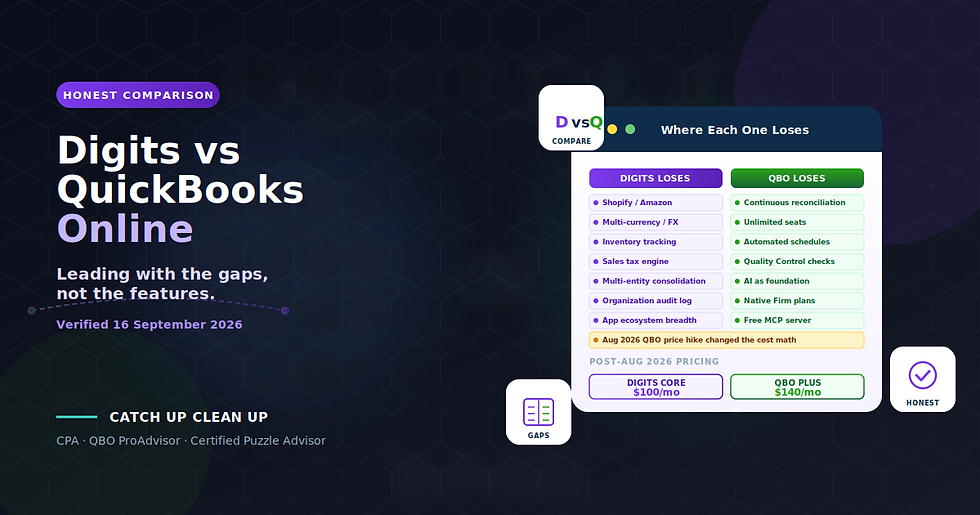
The strategic reality worth naming: Digits has no Shopify, no Amazon, no e-commerce integration of any kind, no inventory, no sales tax engine, and no multi-currency support. Digits' own documentation calls the platform "not ideal" for "complex inventory... or extensive multi-currency workflows." For US-based service businesses with straightforward operations, Digits' reconciliation module, automated schedules, and native unlimited seats are genuinely differentiated. Which one fits depends on your specific business.
What you get:
A 30-minute diagnostic call to assess Digits fit for your specific business
Objective evaluation across Digits, Puzzle, QuickBooks Online, DualEntry, Kick, and other AI-native platforms
Historical QBO cleanup before migration to satisfy Digits' pre-migration checklist and materially reduce migration cost
Cutover date decision documentation with client sign-off protecting against the immutable-cutover-date one-way door
Chart of accounts rationalization at the mapping phase
The eight-phase migration runbook executed with workpaper-grade discipline
Cutover reconciliation executed in the correct order (before uploading any bank statements)
Multi-year tie-out procedure with documented reconciling items
Post-migration 1099 configuration rebuild in the migration year
Parallel Close methodology for nervous clients or first-time migrations
Post-migration integration setup (Plaid, Stripe, Gusto, Ramp, BILL, Finch)
Ongoing Digits bookkeeping if Digits is the right destination
Platform-agnostic advisory so the recommendation is based on your business, not our certifications
Book a free consultation and we will diagnose your migration situation honestly.
Frequently Asked Questions
How long does a QuickBooks Online to Digits migration take?
For a straightforward migration with cleaned-up source chart of accounts and cleared bank feed, cutover executes in a single afternoon. Cutover reconciliation and validation add one to two business days. For migrations with disordered source charts of accounts or bank feed items still in For Review, timeline extends significantly. Parallel Close adds one month of dual-system running.
How much does the Digits migration cost?
Digits charges nothing for the OAuth migration itself. Software costs are Digits' normal subscription pricing (Essentials at $65/mo, Core at $100/mo). Professional services for migration execution typically range $3,000-$10,000 depending on complexity and whether Parallel Close is included. Adding pre-migration QBO cleanup ranges $3,000-$12,000 depending on the extent of cleanup required.
Do I need to keep my QuickBooks Online subscription after migration?
For a period, yes. Unlike some AI-native platform migrations, the Digits migration does not require QBO to remain active after cutover because the OAuth pull is one-time. However, QBO retains the historical documents, attachments, and reconciliation history that did not migrate. Keeping QBO active for the migration year at minimum provides access to those records.
Should I run QBO and Digits in parallel for a month?
Digits explicitly support Parallel Close and documents it as a supported evaluation approach. For clean migrations with strong validation, Parallel Close adds cost without much value. For migrations where source data quality is uncertain or where the client is anxious about the transition, one month of parallel running provides psychological comfort and documented validation. Discuss with the client and decide based on their specific risk tolerance.
Can I reverse a Digits migration if it goes wrong?
Not easily. Digits do not push data back to QBO during migration, so the QBO file remains fully intact and accessible after cutover. But if you return to QBO after migration, any transactions posted to Digits post-cutover would need to be manually re-entered in QBO. There is no automated Digits-to-QBO export path.
Do QuickBooks attachments migrate to Digits?
No. Digits' documentation is explicit that invoice, bill, and other document attachments do not migrate. The accounting impact of invoices and bills migrates (A/R, A/P, revenue), but the underlying documents and attachments stay in QBO. Plan to keep QBO accessible for historical attachment retrieval, or export attachments separately.
What is the cutover date landmine?
The cutover date is immutable once set during onboarding. Digits' documentation is direct: "Once set during onboarding, the cutover date cannot be changed." The only remediation is Starting Over, which is itself a documented one-way door. Setting the cutover date requires explicit documented decision-making before onboarding begins.
What is the bank-feed trap?
Digits' migration brings over transactions posted to the QBO ledger. Items still sitting in the QBO bank feed For Review queue are not posted yet and do not migrate. This is the single most-missed pre-migration step. Clear the QBO For Review queue completely before starting the Digits migration.

Comments