
Shopify Bookkeeping Industry Best Practices
Most Shopify sellers learn bookkeeping the hard way. They start with whatever feels intuitive, hit problems during tax season, fix what's broken, and repeat. After a few years, they've built a system that works for them but may not match how the industry actually does Shopify accounting.
There's a better path: learn the industry standards first, then build your specific implementation on top.
This guide walks through the bookkeeping best practices that experienced e-commerce accounting firms use for Shopify clients. Whether you're managing your own books, working with a bookkeeper, or evaluating your current setup, these standards give you a benchmark for what good Shopify bookkeeping actually looks like.
💡 Key Takeaways
Payout-based accounting is the standard, not per-transaction sync
Accrual basis is recommended for most growing Shopify brands
Chart of accounts should be Shopify-specific, not generic
Inventory accounting requires monthly attention, not just year-end
Multi-jurisdictional sales tax tracking is non-negotiable above 3 states
Monthly reconciliation is the foundation of trustworthy financials
The right tech stack matters more than the right software in isolation

What does the e-commerce accounting industry consider standard practice?
Industry standards emerged through trial and error across thousands of Shopify implementations. The current consensus reflects what actually works at scale.
The five foundational practices
1. Payout-based revenue recognition
Record revenue when Shopify processes the payout, not for each individual order. This matches how cash actually moves and simplifies reconciliation dramatically.
2. Accrual basis accounting (above $1M revenue)
Match revenue to the period it was earned, regardless of when cash arrives. This gives accurate margin analysis and proper period-end reporting.
3. Sync tool automation
Use A2X, Link My Books, or similar tools to bridge Shopify and your accounting platform. Manual entry doesn't scale and creates errors.
4. Monthly close discipline
Complete reconciliation, categorization, and reporting within 10 business days of month-end. Delays compound into bigger problems.
5. Proper inventory accounting
Track inventory as an asset, calculate Cost of Goods Sold (COGS) properly, and reconcile inventory monthly. Skip this and your margins are guesses.
These five practices separate professional Shopify bookkeeping from amateur attempts. Everything else builds on top of them.
What's the standard Shopify-specific chart of accounts?
The chart of accounts (COA) is the foundation of everything else. Generic templates don't work for Shopify operations.
Revenue accounts
4000 - Sales of Product Income
  4010 - Shopify Sales (Direct)
  4020 - Shopify Sales (Subscription) [if applicable]
  4030 - Amazon Sales [if multi-channel]
  4040 - Wholesale Sales [if applicable]
4100 - Shipping Income
4200 - Other Income
4300 - Gift Card Sales [contra-revenue]
4400 - Returns and Refunds [contra-revenue]
Cost of Goods Sold
5000 - Cost of Goods Sold
  5010 - Product Costs (COGS)
5100 - Merchant Processing Fees
  5110 - Shopify Payments Fees
  5120 - PayPal Fees
  5130 - Other Processing Fees
5200 - Platform Fees
  5210 - Shopify Subscription Fees
  5220 - App Subscription Fees
Operating expenses
6000 - Advertising and Marketing
  6010 - Meta (Facebook/Instagram) Ads
  6020 - Google Ads
  6030 - TikTok Ads
  6040 - Influencer Marketing
  6050 - Email Marketing Software
  6060 - Affiliate Marketing
6100 - Fulfillment and Shipping
  6110 - Outbound Shipping
  6120 - Fulfillment Services (3PL)
  6130 - Packaging (non-COGS)
6200 - Professional Services
6300 - Software and Subscriptions
6400 - Salaries and Wages
6500 - Office and Operations
Balance sheet accounts
ASSETS
1000 - Cash and Bank Accounts
1100 - Accounts Receivable
1200 - Inventory Asset
  1210 - Inventory in Warehouse
  1220 - Inventory in Transit
  1230 - Inventory at 3PL
1300 - Prepaid Expenses

LIABILITIES
2000 - Accounts Payable
2100 - Sales Tax Payable (by state)
  2110 - CA Sales Tax Payable
  2120 - NY Sales Tax Payable
  2130 - TX Sales Tax Payable
  [additional states as needed]
2200 - Gift Card Liability
2300 - Customer Deposits
2400 - Credit Card Liability
Why this structure matters
The structure separates information you'll actually need: channel-level revenue, processing fees as expenses (not netted), inventory as a tracked asset, sales tax by jurisdiction, and platform-specific marketing costs. Most generic charts of accounts don't do this, which is why generic charts of accounts don't work for Shopify.
For more on setup, see our complete Shopify accounting migration checklist.
What's the industry-standard way to handle Shopify Payouts?
This is where most Shopify bookkeeping goes wrong. The industry has converged on a clear standard.
The wrong way: per-transaction recording
Many sellers (and even some bookkeepers) record each Shopify order as a separate transaction. With 200 orders per month, that's 200 transactions to enter, categorize, and reconcile.
This approach has problems:
Massive data entry burden
Reconciliation becomes nearly impossible
Doesn't match how Shopify actually deposits money
Loses fee, refund, and tax breakdown
The right way: payout-based recording
Shopify groups transactions into Payouts (typically every 1 to 3 days). Each payout contains:
Gross sales
Refunds processed
Sales tax collected
Shopify Payments fees
Chargebacks (if any)
Other adjustments
The payout amount equals what hits your bank account. Match the payout to the deposit, and reconciliation is automatic.
The standard journal entry for a Shopify Payout
Date: [Payout Date]
Memo: Shopify Payout [Payout ID]

DR: Undeposited Funds      $4,847.32  (will be recorded as bank deposit)
DR: Shopify Refunds          $312.50  (contra-revenue)
DR: Shopify Payments Fees    $234.80  (expense)
DR: Chargebacks                $0.00  (expense, if any)

CR: Shopify Sales          $5,127.50  (gross revenue)
CR: Sales Tax Payable        $267.12  (liability)
This single entry captures everything that happened in the payout period in a way that:
Matches the bank deposit exactly
Breaks down all components properly
Reconciles automatically
Provides accurate margin data
How sync tools automate this
A2X and Link My Books automate this entire process. They pull payout data from Shopify, generate the proper journal entry, and post it to your accounting system. This is the industry standard.
For more on switching to A2X specifically, see our Shopify native to A2X migration guide.
What's the right way to handle inventory accounting?
Inventory is where Shopify bookkeeping gets technically complex. The industry standards exist for good reason.
Use FIFO as the default
First In, First Out (FIFO) means the oldest inventory gets sold first for accounting purposes. This is required by QuickBooks Online and accepted by tax authorities. It produces the most intuitive margin calculations.
Alternative method is weighted average cost exist. Stick with FIFO unless you have a specific reason not to.
Track three inventory states
Real inventory exists in multiple physical locations and states:
In stock: Available for sale at your primary location
In transit: Ordered but not yet received
At 3PL: Held at fulfillment partners
Many sellers only track "in stock" inventory, missing the broader picture. The industry standard tracks all three with separate sub-accounts.
Calculate COGS monthly, not annually
Cost of Goods Sold should be calculated and recorded every month, not just at year-end. This requires:
Monthly inventory count (or cycle counting)
Proper SKU-level cost tracking
Reconciliation against physical inventory
Adjustment entries for shrinkage and obsolescence
Annual COGS calculations mean you have no idea what your actual margins are mid-year. That's not a viable way to run a growing brand.
Reconcile inventory monthly
A monthly inventory reconciliation compares:
Physical count: What you actually have
Book value: What your accounting says you should have
Variance: The difference, which gets investigated
Variances over 5% should be investigated. Common causes include theft, damage, mis-counts, or accounting errors.
Use inventory management software for serious operations
QBO's native inventory tracking works for simple operations. Once you exceed 50 SKUs or operate at any meaningful volume, dedicated inventory management software becomes essential:
Inventory Planner for forecasting and reordering
Cin7 for multi-channel inventory
Katana for manufacturing-adjacent operations
Finale Inventory for high-SKU operations
These tools integrate with QBO to maintain proper inventory accounting at scale.
How should I handle multi-state sales tax compliance?
Multi-state sales tax is the area where most Shopify sellers have compliance gaps. The standards aren't optional.
Understand economic nexus
Since the 2018 South Dakota v. Wayfair Supreme Court decision, states can require sales tax collection from out-of-state sellers based on economic nexus (typically $100,000 in sales OR 200 transactions in the state).
Most growing Shopify brands cross multiple state nexus thresholds within their first year or two. Many don't realize it.
Track each state separately
The industry standard separates Sales Tax Payable by jurisdiction:
One Sales Tax Payable account per state where you collect
Sub-accounts for state, county, city if applicable
Reports that break down liability by jurisdiction
A single "Sales Tax Payable" account that mixes all states makes filing returns nearly impossible.
Use automated tools
Manual sales tax tracking doesn't scale beyond 2-3 states. The industry standard tools:
TaxJar: Strongest for multi-state Shopify operations
Avalara: More features, higher cost, enterprise-grade
Sovos: For very complex multi-channel operations
Anrok: Newer, designed for modern e-commerce
These tools track nexus thresholds, calculate proper tax rates, generate filing reports, and often file returns automatically. They integrate with both Shopify (for collection) and QBO (for accounting).
For deeper context, see our guide on AI Shopify sales tax compliance.
Don't forget marketplace facilitator rules
If you sell on Amazon, Walmart, or eBay, those platforms collect and remit sales tax on your behalf in most states (called marketplace facilitator collection). This means:
You don't collect or remit on those marketplace sales
But you may still need to file information returns
And your Shopify-direct sales are separate
Mishandling marketplace facilitator rules is common and creates either over-payment or compliance issues.
What's the standard monthly close process?
Monthly close is when bookkeeping becomes either trustworthy or theatrical. The industry standard process:
Days 1-3: Data collection
Verify all bank feeds are current
Ensure A2X/Link My Books has synced all month's payouts
Collect any outstanding receipts or invoices
Verify all bills are entered
Days 4-6: Categorization and matching
Categorize all bank transactions
Match Shopify Payouts to bank deposits
Verify all expenses are properly categorized
Address any uncategorized items
Days 7-8: Reconciliation
Reconcile each bank account
Reconcile each credit card account
Reconcile Sales Tax Payable
Reconcile Gift Card Liability
Reconcile Inventory Asset (or quarterly minimum)
Days 9-10: Review and adjustments
Review P&L for unusual items
Review Balance Sheet for accuracy
Make any necessary adjusting entries
Verify nothing was missed
Days 11-15: Reporting and analysis
Generate standard reports
Compare to prior periods
Identify trends or anomalies
Prepare summary for review meeting
The 15-day standard
Industry standard says a month should close within 15 business days. Faster (5-10 days) is better. Longer than 15 days means something isn't working in your process.
For more on this, see our Shopify bookkeeping cleanup checklist.
What financial reports should I run monthly?
Reports are how bookkeeping turns into business intelligence. The standard set:
Core financial statements
Profit and Loss (P&L) / Income Statement
Compare to prior month
Compare to same month prior year
Year-to-date totals
Budget vs. actual (if budgeted)
Balance Sheet
Current month-end
Compare to prior month-end
Compare to prior year-end
Watch for unusual changes
Cash Flow Statement
Operating cash flow
Investing cash flow
Financing cash flow
Operational reports
Gross Margin Report by Channel
Shopify direct
Amazon (if applicable)
Wholesale (if applicable)
Compare margins across channels
Inventory Reports
Inventory on hand by SKU
Inventory turnover rate
Days inventory outstanding
Slow-moving inventory analysis
Sales Tax Liability Report
By state
By filing period
Upcoming filing deadlines
Marketing and customer reports
Customer Acquisition Cost (CAC)
Total ad spend / new customers
By channel
Trend over time
Customer Lifetime Value (CLV)
Revenue per customer
Trends over time
CLV:CAC ratio
Operational KPIs
Order metrics
Average order value (AOV)
Order volume
Return rate
Refund rate
The industry standard is reviewing these monthly. Quarterly review means you're making decisions on stale data.
What's the right way to handle Shopify-specific complications?
Shopify has unique features that require specific accounting treatment.
Gift cards
Gift cards are liabilities, not revenue. The standard treatment:
When sold:
DR: Cash $50
CR: Gift Card Liability $50
When redeemed:
DR: Gift Card Liability $50
CR: Shopify Sales $50
Recording gift card sales as immediate revenue creates problems later. It overstates revenue and creates phantom revenue when the gift card is redeemed.
Discounts and promotions
Discounts should be recorded as reductions in revenue, not as expenses. The industry standard:
Gross Sales:       $100.00
Discounts          ($20.00)
Net Sales:          $80.00
Showing discounts on the P&L (as contra-revenue) gives accurate revenue numbers and visible discount tracking.
Subscription revenue
If you sell subscriptions through Shopify (recurring orders, subscription boxes, etc.), revenue recognition gets more complex:
Cash basis: Record revenue when payment is received
Accrual basis with monthly subscription: Record monthly revenue across the subscription period
Annual subscriptions paid upfront: Use deferred revenue methodology
The Generally Accepted Accounting Principles (GAAP) standard for subscriptions is ASC 606. For most Shopify subscription businesses under $10M revenue, simpler treatments are acceptable.
Returns and refunds
The industry standard handles returns/refunds as:
Returns within current period: Net against sales
Returns from prior period: Record as returns/refunds (contra-revenue)
Restocking fees: Net against returns or record as other income
Treating returns as negative sales (rather than as a separate line item) hides important data about your operation.
Shipping income and costs
Standard separation:
Shipping income: Revenue (what customers paid for shipping)
Outbound shipping: Operating expense (what you paid carriers)
Inbound freight: Part of COGS (cost of getting inventory)
Don't net shipping income against shipping costs. Showing them separately reveals whether your shipping pricing is profitable.
What's the standard technology stack for Shopify bookkeeping?
The industry has converged on a small number of tools that work well together.
Core accounting platform
QuickBooks Online (Plus or Advanced): The dominant choice for US-based Shopify brands. Strong ecosystem, broad CPA familiarity, deep app integration.
Xero: Strong alternative, especially for international operations. Better multi-currency, simpler UI, growing ecosystem.
For more on choosing between these, see our guide on Xero to QuickBooks Online migration.
Sync tool
A2X: The category leader for Shopify-to-QBO/Xero sync. Most accurate payout breakdowns, multi-channel support, robust backfill.
Link My Books: Strong alternative, easier setup, slightly different methodology. Better for simpler operations.
Sales tax automation
TaxJar: Most popular for Shopify operations. Strong nexus tracking, automated filing in many states.
Avalara: More features, enterprise-grade, higher cost. Better for very complex multi-channel operations.
Inventory management (above 50 SKUs)
Inventory Planner: Strong for forecasting and reorderingCin7: Multi-channel inventory and warehouse managementKatana: Manufacturing-focused
Receipt and document capture
Dext (formerly Receipt Bank): Industry standard for receipt automation.
Hubdoc: Free with QBO subscriptions, simpler functionality
Bill payment automation
Bill.com: Standard for larger operations, AP workflow.
Melio: Free option for small operations
Reporting and analytics
Fathom: Standard for management reporting
LiveFlow: QBO-to-Google-Sheets reporting
Spotlight Reporting: International alternative
The complete standard stack
A typical Shopify brand at $1-5M revenue uses:
QBO Plus or Advanced
A2X for Shopify sync
TaxJar for sales tax
Dext for receipts
Inventory Planner for inventory
Bill.com for AP (if larger)
Fathom for reporting (if budget allows)
This stack runs $250-$800 per month in software costs. The ROI is typically 10-20 hours per week saved versus manual approaches.
How does the industry handle multi-channel operations?
Multi-channel selling (Shopify plus Amazon, eBay, Walmart, etc.) has standard treatment.
Channel separation in chart of accounts
Each channel gets separate income accounts:
Shopify Sales
Amazon Sales
eBay Sales
Walmart Sales
This enables channel-level profitability analysis, which is essential for multi-channel operations.
Marketplace facilitator implications
In most states, Amazon, Walmart, and eBay collect and remit sales tax for you. The accounting treatment:
Marketplace sales appear as gross revenue
Marketplace tax doesn't flow through Sales Tax Payable (since you don't remit it)
Some states still require informational filings
Channel-specific sync
A2X handles multiple channels in a single subscription. Link My Books has more limited multi-channel support. For 3+ channels, A2X is typically the right choice.
Channel-specific reporting
Standard multi-channel reports include:
Revenue by channel
Gross margin by channel
Customer acquisition cost by channel
Inventory utilization by channel
Returns rate by channel
These let you identify which channels are actually profitable, which are growth investments, and which should be cut.
What's the standard for working with a CPA?
The bookkeeper-CPA relationship has clear best practices.
Clear role separation
Bookkeeper handles:
Daily/weekly transaction recording
Monthly reconciliation
Routine categorization
Sales tax filing preparation
Standard reporting
CPA handles:
Tax filing
Tax planning and strategy
Entity structure decisions
Audit defense
Complex compliance issues
Mixing these roles or having them overlap creates confusion and inefficiency.
Monthly handoff
Standard process: bookkeeper completes month-end close, then sends standardized reports to CPA. The CPA reviews quarterly and prepares annual filings.
Year-end coordination
Standard year-end process:
November: Begin year-end planning meeting
December: Make final tax-planning decisions
January: Bookkeeper completes year-end close
February: CPA begins tax preparation
March-April: Tax filings completed
Communication standards
The bookkeeper-CPA communication channel should be direct (without the client constantly in the middle). Standard tools:
Shared QBO access
Standardized monthly reports
Quarterly check-in calls
Email for routine questions
For more on choosing the right CPA, see our guide on switching from generalist CPA to e-commerce specialist.
What separates professional Shopify bookkeeping from amateur?
The differences accumulate across many small choices.
Professional approach
Industry-standard chart of accounts
Payout-based revenue recognition
Monthly reconciliation discipline
Proper inventory accounting
Multi-jurisdictional sales tax tracking
Automated sync tools
Standard monthly reports
Documented methodology
Coordinated CPA relationship
Amateur approach
Generic or invented chart of accounts
Per-transaction recording or manual entry
Sporadic reconciliation
Inventory tracked in spreadsheets
Single Sales Tax Payable account
Manual data entry
Ad-hoc reports
Methodology in someone's head
Disconnected CPA relationship
Why this matters
The amateur approach feels easier short-term and works for a while. It breaks down predictably as the business grows. By the time you realize it's broken, fixing it takes 3-6 months of cleanup work.
The professional approach takes more effort upfront but compounds over time. Three years of professional bookkeeping leaves you with valuable, accurate, decision-ready financial data. Three years of amateur bookkeeping leaves you with cleanup work.
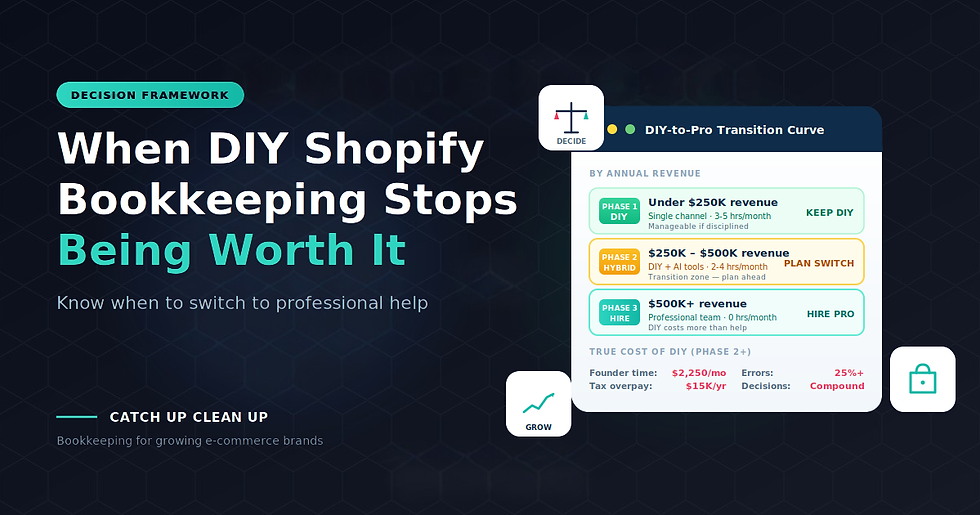
For more on this transition, see our guide on migrating from DIY to a professional bookkeeper.
How do these standards apply to different business stages?
Standards aren't one-size-fits-all. They scale with business complexity.
Pre-launch and first year (< $100K revenue)
Acceptable simplifications:
Cash basis accounting
Single Sales Tax Payable account (if single-state)
Quarterly close (vs. monthly)
Spreadsheets supplementing accounting software
Non-negotiable basics:
Separate business bank account
Proper chart of accounts
A2X or Link My Books if revenue exceeds $5K/month
Basic monthly reconciliation
Growth stage ($100K-$1M revenue)
Standards to implement:
Accrual basis (or hybrid)
Multi-jurisdictional sales tax tracking
Monthly close discipline
Proper inventory accounting
Channel separation if multi-channel
Standard monthly reporting
This is the stage where most amateur approaches break down and professional standards become essential.
Scale stage ($1M-$10M revenue)
Industry standards expected:
Full accrual accounting
Complete chart of accounts depth
Sales tax automation
Inventory management software
Monthly close within 10 days
Quarterly business reviews
Professional bookkeeper engagement
E-commerce specialist CPA
Enterprise stage ($10M+ revenue)
Additional standards:
GAAP compliance considerations
Multi-entity accounting (if applicable)
Advanced reporting and analytics
Sub-ledger management
Annual audit preparation
Strategic tax planning
The transitions between stages typically prompt accounting upgrades. Many of our migration guides address these transitions.
What are the most common bookkeeping mistakes Shopify sellers make?
Knowing the common mistakes helps you avoid them.
Mistake 1: Recording Shopify deposits as revenue
The Shopify Payout that hits your bank isn't revenue. It's the net result of revenue minus refunds, fees, and other adjustments. Recording it as revenue misses everything else.
Mistake 2: Treating sales tax as revenue
Sales tax collected isn't yours; it belongs to the state. It should hit Sales Tax Payable (a liability), not revenue. Recording it as revenue overstates your business and creates tax confusion.
Mistake 3: Netting processing fees against sales
Shopify Payments fees are an expense, not a reduction in revenue. Netting them hides your true revenue and your true processing cost structure.
Mistake 4: Mixing personal and business funds
Pay personal expenses from business accounts (or vice versa) and you've created an accounting nightmare. The industry standard: maintain strict separation.
Mistake 5: Skipping inventory accounting
"I'll figure out COGS at year-end" means you have no idea what your margins actually are during the year. Industry standard requires monthly inventory accounting.
Mistake 6: Single Sales Tax Payable account
A single account for all sales tax across all states means you can't accurately file state returns. Each state needs its own tracking.
Mistake 7: Manual sync between Shopify and accounting
Manually entering Shopify data into accounting software doesn't scale, creates errors, and wastes hours per month. Sync tools (A2X, Link My Books) are industry standard.
Mistake 8: Skipping monthly reconciliation
If you don't reconcile monthly, errors compound silently. By the time you discover them, fixing them is expensive. Monthly reconciliation is non-negotiable.
Mistake 9: Generic chart of accounts
A chart of accounts designed for service businesses doesn't fit product commerce. Shopify operations need Shopify-specific structure.
Mistake 10: No documented methodology
If your bookkeeping methodology lives in someone's head, you've created single-person dependency. Documentation is industry standard.
How do industry standards differ from what most "templates" suggest?
Many bookkeeping templates and YouTube tutorials promote approaches that aren't actually industry standard. Common misalignments:
Templates often recommend per-transaction recording
This was acceptable a decade ago. With modern sync tools, payout-based recording is the industry standard. Templates often haven't caught up.
Templates often skip multi-jurisdictional sales tax
Many templates show a single Sales Tax Payable account. Industry standard separates by jurisdiction. This is critical for compliance.
Templates often use generic chart of accounts
Most accounting templates were built for service businesses. They miss Shopify-specific accounts (gift card liability, processing fees, channel separation).
Templates often ignore inventory complexity
Inventory accounting in templates is usually oversimplified. Real product businesses need proper inventory tracking from day one.
Templates often promote cash basis at all sizes
Cash basis is fine early. Industry standard says accrual basis is necessary above $1M revenue. Templates rarely address this transition.
The point isn't that templates are bad. It's that they're starting points, not finish lines. The industry standard goes deeper.
The Bottom Line
Shopify bookkeeping has industry standards. They exist because they work better than the alternatives.
Most Shopify sellers don't follow these standards because they don't know they exist. They learn bookkeeping through trial and error, build something that mostly works, and only discover the gaps when something breaks (tax season, audit, financing event, M&A).
The standards aren't optional once your business reaches meaningful scale. They're how the industry actually operates. Following them positions you for growth. Ignoring them creates cleanup work that you'll eventually have to pay for.
If you're managing your own books, use these standards as a checklist for your current setup. If you're working with a bookkeeper, use them to evaluate the quality of service you're getting. If you're hiring a bookkeeper, use them to assess candidates.
The point isn't perfection. It's awareness. Knowing what good Shopify bookkeeping looks like is the foundation for actually achieving it.
Ready to align your Shopify bookkeeping with industry standards?
Most Shopify sellers we work with learned what proper Shopify bookkeeping looks like only after experiencing problems with their existing setup. Tax season scrambles, missed deductions, sales tax compliance gaps, or financing applications that exposed weak data.
At Catch Up Clean Up, we build Shopify bookkeeping operations to industry standards from the start. Proper chart of accounts. Payout-based recording. Multi-jurisdictional sales tax tracking. Monthly close discipline. Standard reports. Documented methodology.
What you get:
A 30-minute scoping call to assess your current setup against industry standards
Identification of any gaps in your current approach
Recommended improvements with priority ranking
Implementation of industry-standard practices
Ongoing monthly bookkeeping at industry standards
CPA-ready financials every month
Strategic guidance as your business scales
Book a free consultation and let's bring your Shopify bookkeeping up to industry standards.
Frequently Asked Questions
What are the most important Shopify bookkeeping best practices?
The five foundational practices are payout-based revenue recognition, accrual basis accounting (for growing brands), sync tool automation (A2X or Link My Books), monthly close discipline within 15 business days, and proper inventory accounting. These separate professional Shopify bookkeeping from amateur approaches.
Should I use cash basis or accrual basis accounting for my Shopify store?
Cash basis is acceptable for businesses under $1M annual revenue with simple operations. Accrual basis is the industry standard for growing brands above $1M, businesses with significant inventory, businesses preparing for financing or M&A, and any business needing accurate monthly margin reporting.
What's the industry-standard tech stack for Shopify bookkeeping?
The standard stack includes QuickBooks Online Plus or Advanced for accounting, A2X for Shopify sync, TaxJar for sales tax automation, Dext for receipt capture, Inventory Planner for inventory management (if 50+ SKUs), and Bill.com for accounts payable (at larger scale). Total monthly cost typically ranges from $250 to $800.
How often should I reconcile my Shopify accounting?
The industry standard is monthly reconciliation completed within 10-15 business days of month-end. Sporadic reconciliation creates compounding errors that become expensive to fix. Monthly reconciliation is non-negotiable for any serious Shopify operation.
What's the right way to handle multi-state sales tax for Shopify?
The industry standard tracks each state separately with its own Sales Tax Payable account. Use TaxJar, Avalara, or similar tools for nexus monitoring, rate calculation, and automated filing. A single "Sales Tax Payable" account that mixes all states makes accurate state filing nearly impossible.
How should I record Shopify Payouts in my accounting?
The industry standard records each Shopify Payout as a single journal entry that breaks down gross sales, refunds, processing fees, sales tax, and other components. The total matches your bank deposit exactly, making reconciliation automatic. Sync tools like A2X or Link My Books automate this process.
What's the difference between professional and amateur Shopify bookkeeping
Professional bookkeeping uses industry-standard chart of accounts, payout-based recording, monthly reconciliation, proper inventory accounting, multi-jurisdictional sales tax tracking, and automated sync tools. Amateur approaches typically use generic chart of accounts, per-transaction recording, sporadic reconciliation, and manual data entry. The amateur approach works short-term but creates accumulating cleanup work as the business grows.


Comments