
We Read Every Page of Digits' Documentation. Here Is What It Says It Can't Do.
Every accounting software vendor publishes a comparison page listing where competitors fall short. Almost none of them publishes a comparably honest list of where their own product falls short. This is not a moral failing. It is the nature of marketing content. The vendor's job is to sell the product; someone else has to do the honest evaluation.
This piece is that honest evaluation for Digits. Every gap listed below is sourced verbatim from Digits' own help center documentation at help.digits.com, press releases, or the developer surface at developer.digits.com. Nothing is inferred. Nothing is speculated. Where Digits' own docs contradict themselves (they do, in fifteen documented places), I flag it. Where a limitation is a design decision worth crediting rather than criticizing, I say so.
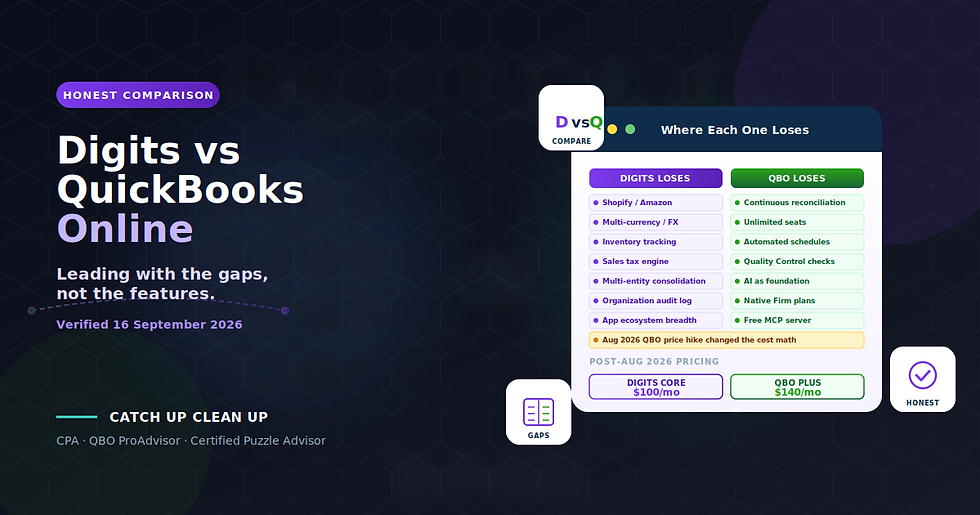
The purpose is not to argue against Digits. Digits has genuinely differentiated features: the best reconciliation module in its cohort, native unlimited seats, automated schedules for fixed assets and prepaids, dimensional accounting with departments and locations, and a free MCP server for AI assistants. For US-based service businesses with straightforward operations, Digits is credibly the strongest AI-native ledger available today.
The purpose is to help you evaluate whether that description fits your business. A gap is only meaningful if it hits something your operations depend on. Reading through the list below with your specific business in mind is the exercise that answers the question "is Digits right for my company?" better than any marketing page ever will.
Everything below is verified against Digits' documentation as of 16 September 2026. Digits ships fast, and specific mechanics may evolve. Verify anything critical directly with Digits sales or documentation before designing production workflows around it, and treat this piece as a framework for evaluation rather than a static instruction manual.
💡 Key Takeaways
Digits documents its own gaps with unusual candor across seven categories: platform and geography, integrations, product modules, reporting, close controls, security, and setup irreversibility
The single most dangerous documented behavior is silent rejection of non-USD transactions from Gusto, Stripe, and sometimes Ramp, with no exception queue and no user surface
Digits' AI auto-posts to the ledger on confidence, with a threshold that is neither published nor tunable, which is a different model from Puzzle (draft-for-review) or Kick (preview-first confirmation)
No organization-wide, exportable, immutable audit log exists in Digits' documentation, which is a legitimate control gap for a system that writes to the ledger autonomously
No Shopify, Amazon, or e-commerce integration of any kind, no inventory tracking, no sales tax engine, no multi-currency support. E-commerce sellers should evaluate other platforms
The reconciliation module and automated schedules are genuinely strong and deserve credit
The setup irreversibility list is real and material: ten documented one-way doors from the immutable cutover date to schedule deletion
Verified 16 September 2026: Digits ships fast; verify current documentation before designing production workflows

Methodology
Every gap below is sourced verbatim from Digits' own documentation. Where Digits states a limitation in its own words, I quote it. Where Digits' documentation is silent on a capability that would normally exist in an enterprise ledger, I note the absence explicitly rather than claiming the capability does not exist.
Categories reflect Digits' own structural organization: platform limits, integration boundaries, product modules, reporting constraints, close controls, security posture, and setup irreversibility. Nothing is grouped for rhetorical effect.
Confidence labels throughout:
[Docs] — stated in Digits' own help center. Reliable as a statement of what Digits claims the product does or does not do.
[Absence] — the documentation is silent on a capability that would normally be documented if it existed.
[Contradiction] — Digits' documentation contradicts itself. Both statements verified as current.
What Digits Does Genuinely Well
Before the gap list, three genuinely differentiated capabilities worth naming, because a fair evaluation acknowledges strengths as well as limitations.
Reconciliation. [Docs] Digits reconciles continuously against bank statements, flagging only what needs review. The gap-filling behavior, the four flag types (missing, duplicate, mismatched amount, mismatched date), the ordered finalization requirement, and the automatic reopen on late-arriving transactions are collectively the best-designed reconciliation module in the AI-native cohort. Better than QuickBooks Online's reconcile screen by a clear margin.
Schedules. [Docs] Automated fixed-asset and prepaid schedules inside the ledger with disposal handling. Straight-line only (see gap 22 below), but the workflow automation is genuinely differentiated. QuickBooks makes you handle depreciation and amortization by hand or buy a bolt-on.
Unlimited users. [Docs] Every plan includes unlimited team seats. No per-seat pricing at any tier. For a client with a bookkeeper, a CPA, a lender, and multiple internal managers, the total cost against QuickBooks Online (which caps billable users at five on Plus, at higher tiers on Advanced) can be materially different.
Automated Quality Control with natural-language check authoring. [Docs] Eleven pre-built checks plus custom check authoring in plain English with compiled-logic preview and 20 sample transactions. Nothing comparable exists in QuickBooks Online or Xero.
Free MCP server on every tier. [Docs] AI assistant integration (Claude, ChatGPT, others) is available at every plan tier without additional cost. Read-only, but genuinely useful for exploratory work and financial querying.
Developer API with no partner fees. [Docs] Documented at developer.digits.com. The developer surface is a real one, not a marketing veneer.
These are real capabilities worth crediting. Now the gap list, which is longer because gaps are what evaluation buyers actually need to know.
Category 1: Platform and Geography (10 documented limits)
The largest gap category, and the one that determines whether Digits is available at all for your business.
Gap 1. Non-US businesses. [Docs] Not supported. Digits states directly: "Digits is currently available only for U.S.-based businesses that use U.S. banks and operate in USD." Explicitly excluded: "Canada, the United Kingdom, Australia, Malaysia, or the EU." For firms serving international clients, Digits is not a candidate.
Gap 2. Multi-currency and FX. [Docs] Not supported. "Digits does not perform currency conversion, FX revaluation, or multi-currency reporting."
Gap 3. Non-USD transactions. [Docs] Silently rejected. This is the most dangerous documented behavior on the platform. Digits states: "If a connection sends non-USD, unconverted transactions, Digits will reject them, and they won't appear in your books." Named risk sources: Gusto (international contractor payments), Stripe (international revenue), sometimes Ramp. There is no documented mechanism that surfaces rejected transactions to the user. See the dedicated section below.
Gap 4. Non-US bank feeds. [Docs] Not supported, even for US-based users. "Foreign bank feeds, even for U.S.-based users."
Gap 5. Inventory tracking. [Docs] Not supported. "It doesn't track item-level quantities or stock on hand." For any business managing physical inventory, Digits is not the right ledger.
Gap 6. Sales and use tax. [Docs] Not supported. No calculation, no tracking, no Avalara or TaxJar integration. For businesses subject to multi-state sales tax obligations, tax handling lives entirely outside Digits.
Gap 7. Consolidation and multi-entity. [Docs] Not supported. Digits documents: "create separate Digits accounts for each entity" with separate subscription for each. No consolidated statements. No eliminations. No intercompany entries. For businesses with multi-entity structures requiring consolidation, this is a hard stop.
Gap 8. Job costing and projects. [Docs] Not available. Digits offers only two fixed dimensions (Departments and Locations), and per the documentation: "you can't relabel the dimension itself." Project accounting, job costing, and grant tracking are not supported without workaround.
Gap 9. 13-period and 4-4-5 calendars. [Docs] Not supported. Retail 4-4-5 fiscal calendars, 13-period years in some manufacturing sectors, and non-calendar fiscal periods generally are not supported. Standard monthly calendar only.
Gap 10. Downloadable company file. [Docs] Does not exist. Digits is cloud-only. There is no offline export of the complete accounting file in a portable format.
Note on foreign-owned US entities. [Docs] These are supported: "regardless of where the owner or users are located". A US LLC owned by a Canadian resident, for example, can use Digits as long as the entity operates in USD from US banks.
Category 2: Integrations (10 documented limits)
Where Digits' integration ecosystem stops, and what the documented workarounds are.
Gap 11. E-commerce platforms. [Docs] None. Shopify, Amazon, WooCommerce, Etsy, eBay, Walmart are all unsupported. Digits states: "does not yet have a direct integration." Documented workaround: A2X plus manual journal entries. For sellers with high transaction volumes and multi-channel operations, this is a hard limitation.
Gap 12. Payment processors beyond Stripe. [Docs] No connectors for PayPal, Square (beyond Square Payroll), Toast, Clover, or Lightspeed. Bank-feed workaround only.
Gap 13. Bidirectional sync with anything. [Docs] None. Every financial integration is one-way inbound. Data flows into Digits from source systems; Digits does not push data back.
Gap 14. Two-way QuickBooks sync. [Docs] None. QuickBooks integration is one-time migration, read-only, and archived after setup. There is no ongoing bidirectional sync.
Gap 15. Xero, Puzzle, or QuickBooks Desktop migration tooling. [Docs] Does not exist. Migration from these platforms is manual CSV imports and journal entries only. For firms migrating clients from these systems, timeline and cost expand significantly compared to the QuickBooks Online migration path.
Gap 16. QuickBooks attachments. [Docs] Do not migrate. Digits documents: "We're exploring large-scale QBO document imports." Historical supporting documentation stays in QuickBooks unless separately exported.
Gap 17. Ramp departments and locations. [Docs] Do not sync. Ramp integration passes transactions but not dimensional metadata.
Gap 18. BILL GL coding, attachments, approval workflows, vendor notes. [Docs] Do not sync. BILL integration passes payments but not the surrounding metadata that finance teams rely on.
Gap 19. Stripe invoicing and Stripe Capital withholdings. [Docs] Do not sync. Stripe integration handles payments but Stripe-native invoicing and Capital financing withholdings do not flow through.
Gap 20. Gusto off-cycle payrolls. [Docs] Not supported. Off-cycle payrolls in Gusto require manual entry into Digits.
Gap 21. MyCardStatement and eZCard. [Docs] Broken. Known Plaid issue. No timeline documented for resolution.
Gap 22. Loan accounts via bank feed. [Docs] Not supported. Loan account bookkeeping requires manual liability category setup and statement-based imports.
Category 3: Product Modules (14 documented limits)
Where core accounting workflows stop or work differently than QuickBooks users expect.
Gap 23. Revenue recognition and deferred revenue. [Docs] Not supported. Schedules module covers fixed assets and prepaids only. Digits documents: "Prepaid contracts currently require manual journal entries." For SaaS businesses or subscription-heavy revenue models needing ASC 606-compliant recognition, this is manual work outside the automated schedules module.
Gap 24. Accrued expenses automation. [Docs] "Coming soon." Currently manual.
Gap 25. MACRS and Section 179 depreciation. [Docs] Not supported. Digits provides "straight-line book depreciation only." MACRS calculations for tax purposes must live in the tax preparer's workpaper or a specialized tool. This is standard practice regardless of accounting platform, but worth naming explicitly.
Gap 26. Schedules for cash-basis clients. [Docs] Not applicable. Schedules is an accrual concept only and does not apply to cash-basis books.
Gap 27. Importing existing depreciation schedules. [Docs] Not supported. Digits documents: "there is no way to import them yet." Migrated clients with existing depreciation schedules must rebuild them in Digits' Schedules module rather than importing.
Gap 28. Budgeting and forecasting. [Docs] Not available. "Not yet." The Budget vs. Actuals feature sits on the unreleased Pro tier.
Gap 29. Recurring invoices. [Docs] Not available. Documented as "on the roadmap."
Gap 30. Automatic overdue payment reminders. [Docs] Not sent, despite marketing claiming otherwise. This is a documented [Contradiction] worth naming: the /product/invoicing marketing page claims "Smart reminders & follow-ups — Our AI automatically sends gentle reminders and escalates follow-ups when needed." The help center documentation says otherwise. Both are current. The behavior on the ground is that reminders are not automatic; the operator must send them manually.
Gap 31. Partial and split invoice payments. [Docs] Not supported. "Each invoice can only match one transaction in Digits today." An invoice paid in two installments requires either accepting the mismatch or issuing separate invoices.
Gap 32. Estimates to invoice conversion. [Docs] Not supported.
Gap 33. Invoice custom fields. [Docs] Not available. Invoices support only the built-in fields.
Gap 34. 1099 e-filing. [Docs] Not supported. Digits provides 1099 tracking and eligibility identification, but the actual filing must happen through a separate tool or filing service.
Gap 35. Tax return filing of any kind. [Docs] Not supported. Digits is a ledger, not a tax filing platform.
Gap 36. Vendor name editing or deletion. [Docs] Not supported. Digits documents: "Editing vendor names isn't supported... Deletion of vendors isn't available." A vendor entered incorrectly stays in the vendor list.
Gap 37. Vendor and customer master list export. [Docs] Not available in a ready-to-upload form with contact fields. Master lists can be viewed but not exported cleanly for use in other systems.
Gap 38. Android app. [Docs] Not available. Mobile app is iOS-only.
Category 4: Reporting and Dimensions (8 documented limits)
Where Digits' reporting stops matching what firms need for financial statement customization and management reporting.
Gap 39. Departments or Locations on the Balance Sheet. [Docs] Not supported. Dimensional accounting applies only to the P&L. Balance sheet remains at the entity level.
Gap 40. Both dimensions on one report. [Docs] Not supported. "On the roadmap." You can filter by Department OR Location, not both simultaneously.
Gap 41. Renaming a dimension. [Docs] Not supported. The dimensions are called
"Departments" and "Locations" and cannot be renamed. Job costing, program tracking, and any other use case that would want different labels must live within these fixed names.
Gap 42. More than six dimension values compared side by side. [Docs] Capped at six. If your business has more than six departments or locations, the side-by-side comparison view will not show them all.
Gap 43. P&L beyond 36 monthly columns. [Docs] Capped. Balance Sheet and Cash Flow reports cap at 12 monthly columns.
Gap 44. Cash flow forecasting. [Docs] Not supported. Digits' Cash Flow report is historical: "It isn't a projection."
Gap 45. Custom Reports for unaffiliated businesses. [Docs] Not purchasable today. Custom Reports is a firm-partner-only feature on Essentials and Core plans. The Pro tier that would make it directly purchasable is documented as "Coming soon."
Gap 46. Migrated A/R and A/P in aging reports. [Docs] Never appears. The aging reports have a cutover-date floor. Migrated receivables and payables show in the balance sheet but never appear in aging reports. This is a documented completeness risk for cleanup engagements.
Category 5: Close and Control (10 documented limits or absences)
Where Digits' close and control features stop matching what controllers and auditors need.
Gap 47. Unlocking a single month. [Docs] Not possible. Digits documents: "Use Open all periods to reopen everything." You cannot selectively reopen one month for correction; reopening cascades backward through every subsequent locked period. This changes how you should plan month-end close.
Gap 48. Journal-entry approval and maker-checker. [Absence] No documentation found. Approvals exist for bills, schedules, and reports only. Whether an approval workflow for journal entries is on the roadmap is not documented.
Gap 49. Organization-wide, exportable, immutable audit log. [Absence] No documentation found. This is the most significant documented control gap in Digits. For a system where AI auto-posts to the ledger on confidence, an audit log that captures every mutation with actor attribution, timestamp, and diff is a foundational control. Digits does not document one. Puzzle's public critique of Digits names this directly, and it is a fair criticism.
Gap 50. Auditor read-only role. [Absence] No documentation found. External auditor access typically requires a dedicated read-only role that Digits does not document.
Gap 51. Audit-log retention policy. [Absence] No documentation found. Even if an internal audit log exists, its retention period and access policy are not documented.
Gap 52. Reconciliation audit trail coverage of transaction edits. [Docs] Explicitly excluded. The reconciliation audit trail covers reconciliation actions but not transaction edits made outside the reconciliation module.
Gap 53. Undoing a bulk-created reconciliation batch. [Docs] No undo-all. Reconciliation batches created in bulk cannot be undone as a batch. Each item must be reversed individually.
Gap 54. Firms approving or paying bills. [Docs] Not permitted. The client must approve. Firms operating in a full-service capacity where the client wants the firm to approve payments on their behalf will find this constraint frustrating.
Gap 55. Firms removing a client's team members. [Docs] Not permitted. Only the client can. When a client employee departs and the firm needs to enforce offboarding, the firm cannot execute it directly.
Gap 56. Bulk reverse. [Docs] Not available. Reversals must be done one at a time.
Gap 57. Protection of closed periods against connection deletion. [Docs] None. When a bank or connected-app connection is deleted, transactions from that connection are removed even if they sit in closed accounting periods. This is a documented risk worth naming loudly.
Category 6: Security and Compliance Transparency (8 documented limits or absences)
Where Digits' public security posture stops matching what a controller-audience buyer needs to evaluate.
Gap 58. SOC 2 Type II scope. [Docs] Digits claims SOC 2 Type II certification but covering only "security, availability, confidentiality." Processing Integrity, which is the SOC 2 category that would matter most for a system where AI auto-posts to the ledger, is not stated as being in scope. Worth asking about explicitly on any partner or evaluation call.
Gap 59. SOC 1, ISO 27001, PCI DSS, GDPR, CCPA. [Absence] None claimed anywhere. For businesses subject to any of these frameworks, Digits' current certification posture may be insufficient without additional compensating controls.
Gap 60. Penetration testing and bug bounty. [Absence] Not mentioned in any documentation. Not explicitly offered.
Gap 61. SAML, SCIM, directory sync. [Absence] Not mentioned. Single sign-on (SSO) is documented as Enterprise-only and "weeks old." Broader identity governance is not documented.
Gap 62. Hosting provider, sub-processors, data residency. [Absence] None disclosed publicly. Which cloud provider hosts Digits, which sub-processors have access to customer data, and where data is physically stored are not documented on any Digits page.
Gap 63. Readable privacy policy or SaaS terms before signup. [Absence] Not publicly accessible. Standard SaaS practice is to publish terms and privacy policy on the website. Digits' public site does not surface these prominently, which is unusual for an enterprise software vendor.
Gap 64. Uptime SLA, status page, support SLA. [Absence] None published. There is no status.digits.com or equivalent monitoring page documented publicly.
Gap 65. Post-cancellation grace period or data retention policy. [Absence] None documented. What happens to your data after cancellation is not stated. For a system that holds general ledger data subject to statutory retention obligations, this is a real gap that should be resolved before signing.
Category 7: One-Way Doors (10 documented irreversible actions)
Actions that Digits' own documentation states cannot be undone. Every one deserves an explicit decision before execution.
Gap 66. Setting the cutover date. [Docs] "Once set during onboarding, the cutover date cannot be changed." The cutover date floors every connection start date thereafter. Get this wrong at onboarding and starting over is the only remediation.
Gap 67. Completing onboarding without a QBO migration. [Docs] "QuickBooks migration can't be added without starting over." If you intended to migrate from QBO but did not do it during onboarding, the migration option is no longer available.
Gap 68. Deleting a connection. [Docs] "Permanently removes every transaction synced through it, including transactions in closed accounting periods." No undo. This is the most dangerous documented one-way door.
Gap 69. Starting Over. [Docs] "Cannot be undone." Bill Pay verification must be redone. Starting over is Digits' documented remediation for several one-way-door mistakes but is itself a one-way door.
Gap 70. Deleting a schedule. [Docs] "Removes all associated journal entries. This action cannot be undone."
Gap 71. Marking a bill or invoice as paid. [Docs] "This action can't be undone." Recourse is void, not undo.
Gap 72. Voiding an invoice. [Docs] "Voiding is permanent and can't be undone."
Gap 73. Submitting a bill payment. [Docs] "Can't be deleted or cancelled... the funds are already in flight."
Gap 74. Resetting the demo client. [Docs] "This action cannot be undone."
Gap 75. Removing a client from the firm. [Docs] Firm "immediately loses access." Export the client's data first.
The Single Most Dangerous Item on the List
Of the 75 gaps documented above, one deserves separate treatment because it is a completeness failure that does not announce itself.
The silent rejection of non-USD transactions. Digits' own documentation states: "If a connection sends non-USD, unconverted transactions, Digits will reject them, and they won't appear in your books." [Docs]
Three sources are named as risk points: Gusto (international contractor payments), Stripe (international revenue), sometimes Ramp. A US business with any international payment exposure through these platforms can have transactions vanish from the ledger with no exception queue entry. There is no documented mechanism that surfaces rejected transactions to the user.
The concrete failure mode: your business runs Stripe. You take a payment in EUR from an international customer. Your books should show revenue in USD equivalent. Instead, the transaction is silently dropped. Your bank deposit still lands (Stripe converts and pays out in USD). But your Stripe reconciliation shows a gap between what Stripe collected and what appears in your books, and the reconciliation module has no way to identify what is missing because the missing transaction was never received.
This is why any Digits engagement with international payment exposure needs an out-of-band reconciliation check: compare Stripe's own transaction report (which includes non-USD transactions) against Digits' Stripe transaction list, and manually book any rejected items via journal entry.
This limitation deserves broader awareness than it currently gets. Any CPA advising a client on Digits adoption should raise it explicitly and confirm whether the client's payment platforms have any non-USD exposure before committing to the migration.
What This Means for Buyer Evaluation
The gap list above is not an argument against Digits. It is the actual list of questions a buyer needs to work through with their specific business in mind.
Digits is the right platform when:
Your business operates entirely in USD, in the US, from US banks
You do not carry physical inventory
Your sales tax obligations are limited or handled by a specialist tool outside the ledger
You operate as a single entity or accept per-entity accounting without consolidated statements
Your operations align to a standard monthly calendar
Your integrations align to Digits' documented ecosystem (Stripe, Gusto, Ramp, BILL, Plaid, Finch's payroll network)
You value best-in-cohort reconciliation, automated schedules for fixed assets and prepaids, and native unlimited seats
You are willing to work within the AI auto-post model and the absence of an organization-wide audit log
Digits is the wrong platform when:
Your business operates in any currency other than USD, or has meaningful international payment exposure
You are a non-US business
You sell on Shopify, Amazon, WooCommerce, Etsy, or any other e-commerce platform Digits does not integrate with
You carry physical inventory that needs item-level tracking
You have material multi-state sales tax obligations
You have multi-entity structures requiring consolidation
You need project accounting or job costing
You require an organization-wide audit log for compliance or audit purposes
Your accountants need MACRS depreciation inside the accounting system
You need automatic overdue payment reminders (despite marketing claims)
You need partial invoice payments or recurring invoicing
The gap list is a diagnostic. Read through it with your business in mind. If more than five items apply materially, other platforms are likely a better fit. If none apply, Digits is a genuine candidate worth evaluating further.
Comparison Against Other AI-Native Platforms
To contextualize where Digits sits in the AI-native cohort, three specific comparisons are worth naming.
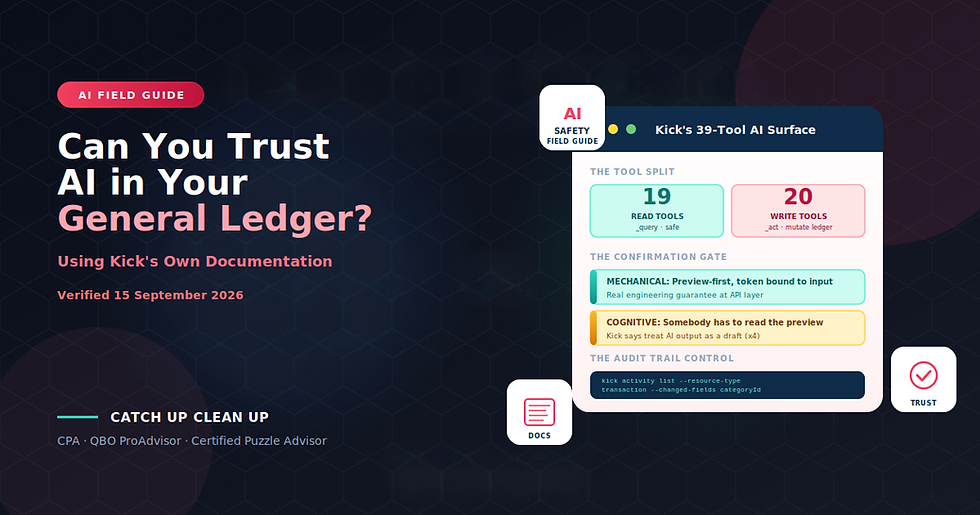
Digits versus Kick. Both platforms have no e-commerce integrations. Kick's AI is preview-first with a mandatory confirmation gate; Digits' AI auto-posts on confidence. Kick has three-year runway and $20M raised; Digits has $97.5M raised but no round since March 2022. Kick is better for the commingled-finances, multi-entity owner-operator; Digits is better for the firm running a standardized close across a portfolio. My Kick migration checklist and Kick AI trust field guide cover Kick specifically.
Digits versus Puzzle. Puzzle's AI drafts entries for human review rather than auto-posting. Puzzle's target market skews earlier-stage SaaS with accrual complexity. Digits' target market skews established service businesses with clean operations. Neither serves e-commerce well. Puzzle's public critique of Digits names the auto-post model as a control gap, which is a fair criticism worth raising on any Digits partner call.
Digits versus DualEntry. DualEntry targets mid-market ($10M-$1B revenue) as a NetSuite alternative. Digits targets small to mid-sized service businesses. Different buyer profiles.
My DualEntry 28 documented gaps covers DualEntry specifically.
The fair summary: Digits is a credible, genuinely AI-native general ledger with the best reconciliation module in its cohort and real structural advantages in seats, quality control, and accrual automation. It is aimed squarely at US service businesses with straightforward operations, and it is not yet a fit for inventory, international, multi-entity, or e-commerce-heavy clients.
The Documented Contradictions Worth Naming
Digits' documentation contradicts itself in several places. Verified as of 16 September 2026, both statements current, both worth quoting if you quote either.
Invoice editability after sending. The body of the invoices help page states: "You can edit a sent or overdue invoice at any time... Add, edit, or remove line items." The FAQ on the same page states: "Line items, amounts, and the customer cannot be changed after sending." Both are current.
Automatic payment reminders. The /product/invoicing marketing page claims: "Smart reminders & follow-ups — Our AI automatically sends gentle reminders and escalates follow-ups when needed." The help center documentation says reminders are not automatic. Marketing versus documentation, with documentation being the accurate one.
Founding year. Digits' own boilerplate now reads "Launched in 2025" while every historical source (TechCrunch, Crunchbase, PitchBook) records 2018 or 2019. The 2025 figure is Digits re-anchoring its origin story to the AGL launch. Both are defensible readings of different sources.
Directory eligibility. The plan matrix says Solo-tier plans get no directory listing. The directory page says listing is free with Partner Program participation. Which applies to your firm is worth clarifying explicitly.
The 97.8% accuracy figure. Reported identically in Digits' 2025 and 2026 benchmarks on 2,000 transactions each. Whether the benchmark was rerun on new data or the 2025 corpus was reused is not documented.
Twelve additional documented contradictions appear across the product surface. If a specific claim matters to your evaluation, verify it in the help center rather than relying on marketing pages, and check the FAQ on the same help page for contradicting text.
The Bottom Line
Digits publishes 75 documented gaps across its own materials. Reading through them with your business in mind is more useful than reading any marketing page.
For US-based service businesses with straightforward operations on a modern fintech stack, none of the gaps above may apply materially and Digits is credibly the strongest AI-native ledger available today. The reconciliation module, automated schedules, native unlimited seats, and Automated Quality Control are genuine differentiators worth crediting.
For businesses with international payment exposure, inventory, multi-entity structures, e-commerce operations, project accounting requirements, or formal audit-trail obligations, several gaps apply structurally and other platforms are likely better fits. Kick handles the commingled-finances owner-operator better. Puzzle handles the accrual-heavy SaaS startup better. DualEntry handles the mid-market with multi-entity complexity better. QuickBooks Online remains the right choice for many operations Digits is not built to handle.
The single most important thing to name in any Digits recommendation: the AI auto-posts to the ledger on confidence, with a threshold that is neither published nor tunable. This is a different autonomy model from Puzzle and from Kick, and it deserves careful discussion with any client considering the platform. It is not necessarily wrong. It is just structurally different, and understanding the difference is the minimum precondition for advising on Digits.
Digits' willingness to document its own limitations openly is worth crediting. Vendors that publish precise gap descriptions in their help centers make it easier for CPAs to advise clients accurately, and Digits does this more consistently than most of its competitors. The gap list above exists because Digits published it, and the piece you are reading was possible to write because Digits' documentation is unusually candid.
That is a signal about the company's culture worth naming alongside the gap list.
Ready to evaluate whether Digits fits your business?
Most CPAs advising on AI-native platform adoption have not read the platform documentation carefully enough to evaluate the actual fit. The vendors publish marketing materials that skip past documented limitations, and the accounting media covers AI-native platforms in terms of productivity claims rather than structural fit. This leaves firms adopting AI-assisted bookkeeping without a framework for evaluating whether their controls are adequate or their business fits the platform.
Catch Up Clean Up specializes in the specific engagement pattern that AI-native platform adoption requires. Deep documentation reading, structural fit assessment against the specific gaps documented above, coordination with vendor Partner Success teams on migration timing, workpaper-grade tie-out procedures, and platform-agnostic advisory across Digits, Puzzle, DualEntry, T:0, Kick, and Rillet. Because I am a Certified Puzzle Advisor at Preferred Partner tier and platform-agnostic in my advisory approach, I can honestly evaluate whether Digits, Puzzle, Kick, DualEntry, or continued QuickBooks Online is the right destination for your specific business.
The strategic reality worth naming: Digits is the right platform for a specific customer profile. For businesses that fit that profile, adopting it is a genuine upgrade. For businesses outside that profile, the gaps documented above compound expensively and another platform is the honest recommendation.
What you get:
A 30-minute diagnostic call to assess Digits fit against the 75 documented gaps above
Objective evaluation across Digits, Puzzle, QuickBooks Online, DualEntry, Kick, and other AI-native ledgers
Historical QBO cleanup before migration to materially reduce mapping complexity
Coordination with Digits Partner Success team on directory placement and beta feature access
Chart of accounts rationalization at the migration phase
The eight-phase migration runbook executed with workpaper-grade discipline
Post-migration validation including the specific cutover reconciliation methodology Digits documents
Ongoing Digits bookkeeping if Digits is the right destination, with monthly audit trail review
Platform-agnostic advisory so the recommendation is based on your business, not our certifications
Book a free consultation and we will diagnose whether Digits fits your business honestly.
Frequently Asked Questions
Does Digits support Shopify or Amazon sellers?
No. Digits has no e-commerce integrations of any kind. Shopify, Amazon, WooCommerce, Etsy, eBay, and Walmart are all unsupported. The documented workaround is A2X plus manual journal entries. For sellers with material transaction volumes, multi-channel operations, or inventory management needs, Digits is not the right ledger today. Kick has the same limitation. Puzzle handles some e-commerce scenarios better but is not e-commerce-native. My analysis on e-commerce accounting platform fit covers this in more detail.
Does Digits handle multi-currency businesses?
No. Digits states directly that it does not perform currency conversion, FX revaluation, or multi-currency reporting. More dangerously, non-USD transactions are silently rejected from Gusto, Stripe, and sometimes Ramp with no exception queue. For any business with international payment exposure, this is a real completeness risk worth confirming before migration.
What is the biggest documented risk on the platform?
The silent rejection of non-USD transactions. It is the only gap where transactions can vanish from the ledger without any user-facing surface, and it applies to any business using Gusto for international contractors or receiving Stripe payments in foreign currencies. Every Digits engagement with any international payment exposure needs an out-of-band reconciliation check to catch rejected transactions.
Does Digits have a proper audit log?
No organization-wide, exportable, immutable audit log is documented. This is a legitimate control gap for a system where AI auto-posts to the ledger on confidence. Puzzle's public critique of Digits names this directly, and it is a fair criticism. Any firm adopting Digits should raise this on the partner call and design compensating controls.
Is Digits' AI safer than QuickBooks Online?
Different, not safer. Digits' AI auto-posts to the ledger on confidence. QuickBooks Online's AI suggests categorizations that the user then approves. The QBO model is more conservative but slower. The Digits model is faster but requires trust that the confidence threshold is calibrated correctly. Getting comfortable with the Digits autonomy model is a real decision worth making explicitly rather than by default.
Does Digits support fiscal years other than calendar year?
Only standard monthly calendars. 13-period years, 4-4-5 and 5-4-4 retail calendars, and non-standard fiscal periods are not supported. Businesses in retail, manufacturing, or other industries with standardized non-calendar fiscal periods should evaluate other platforms.
Can I trust the Digits documentation as authoritative?
Yes, with the caveat that it contradicts itself in several documented places. Where marketing pages and help center pages disagree, the help center is typically the accurate one (Digits documents this pattern explicitly in some places). When something matters to your evaluation, verify it in the help center rather than the marketing pages, and check the FAQ on the same help page for contradicting text.


Comments